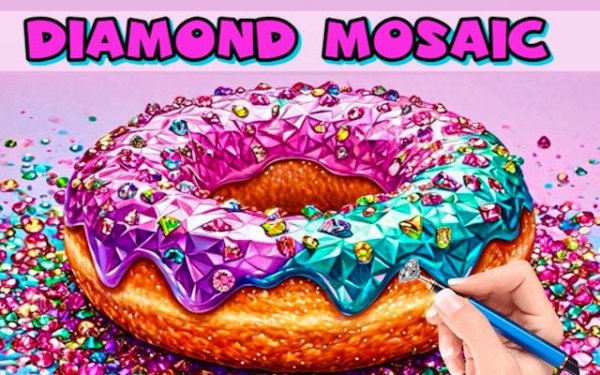
Turning Numbers into Sparkling Art
Gem Mosaic Art Puzzle recreates the hands-on craft of gem painting on a screen. Each picture is divided into numbered sections, and your job is to place the correct gem on each number. As you fill the canvas, the image slowly transforms from a blank grid into a glittering, colorful design. The satisfaction comes from watching the pattern emerge piece by piece, much like completing a physical diamond painting kit without the cleanup or material cost.
A Library of Themes to Explore
The game includes a gallery of images spanning different subjects, such as animals and desserts. You can browse and pick whichever picture appeals to you before starting. This variety lets you switch between themes whenever you want a change of pace, and it also means you can choose simpler or more detailed images depending on how much time and focus you want to invest in a session.
Simple Controls, Steady Rhythm
On a computer, you use the mouse to click each gem onto its matching number. On a touchscreen, you tap the canvas instead. The interface is designed to be immediately understandable, so no tutorial is needed to begin. Many players work through the numbers in order to avoid missing any spots, which creates a steady, repetitive rhythm that encourages patience and concentration.
Who It Suits and How to Approach It
Because there are no timers, scores, or failure states described, the experience is paced entirely by the player. That makes it a natural fit for anyone looking for a low-pressure creative activity, including children and adults who enjoy coloring or puzzle games. Beginners can start with less complex images to get used to the controls, while more experienced players can tackle busier patterns. Taking breaks when focus dips is a practical way to keep the process enjoyable rather than tedious.








Comments
0 comments