Setting the Difficulty Before You Start
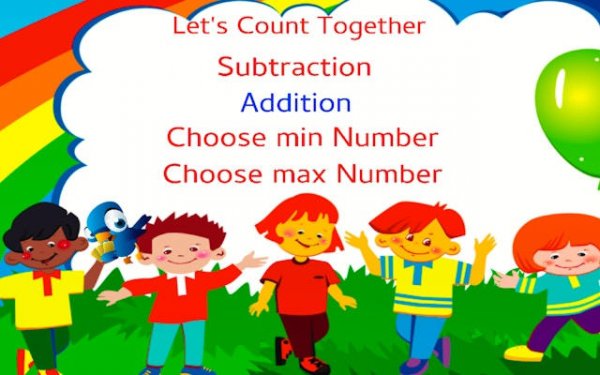
Number Expedition hands control to the learner before a single problem appears. Each session begins with a choice: set the minimum and maximum numbers that will appear in the exercises. A young learner can stay within 1–10 for counting and simple addition, while an older student might widen the range to 1–100 to practice carrying and borrowing. This single setting shapes every question that follows, so difficulty is never imposed by the program—it is chosen by the player or parent.
Counting, Addition, and Subtraction in Sequence
The activity moves through three connected skill areas. Counting exercises serve as a warm-up, establishing number familiarity before arithmetic begins. Addition and subtraction modules follow, each drawing from the same custom number range. Because the range stays consistent across all three areas, learners see how counting relates directly to adding and subtracting—a connection that isolated worksheets often miss. The interface stays clean and minimal, keeping attention on the numbers rather than on menus or animations.
Why the Self-Paced Design Matters
Speed is never the measure of success here. The program emphasizes understanding over quick answers, which means a learner can sit with a problem, count on fingers, or work through a strategy without a timer running down. That approach suits homeschooling parents who want to reinforce a concept until it clicks, and it suits any student who feels anxious when math is presented as a race. Short, repeated sessions work better than long, infrequent ones, and the customizable range makes it easy to adjust on the fly.
Who Gets the Most From It
This tool is built for early arithmetic learners, homeschooling families, and anyone refreshing basic math skills. It is not a full curriculum—it is a practice space. Its value comes from repetition with adjustable difficulty, a combination that supports gradual confidence building. Parents and teachers can use the number-range setting to match the day's lesson, then step back and let the learner work independently.









Comments
0 comments