Darwin Drawing Tutorial Game
Reviews
How To Draw Darwin provides a structured yet flexible drawing experience. The step-by-step approach makes it easy for beginners to follow, while the undo feature encourages experimentation without pressure. Replaying the game helps reinforce drawing techniques and improves hand-eye coordination. It is a wholesome activity that combines creativity with fandom, suitable for solo play or family time. The simple interface and positive feedback make each session enjoyable and productive.
Description
Game Introduction
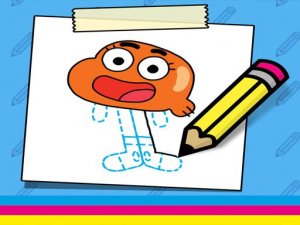
How To Draw Darwin Online Drawing Game is a free, browser-based activity that invites players to sketch Darwin, the cheerful orange fish with legs from the popular animated series The Amazing World of Gumball. The core objective is to follow clear, turn-based instructions to complete a drawing of this beloved character. What makes this game unique is its focus on step-by-step artistic guidance, making it accessible to kids and fans who want to engage with their favorite character while developing fine motor skills and artistic confidence. No downloads or installations are needed—just a browser and a love for drawing. The content is family-safe and suitable for all ages, providing a calm and rewarding creative experience.
How to Play
To play, simply follow the on-screen instructions. Each step shows a new line or shape to add to your drawing. Use your mouse or touchscreen to trace and create. The game is turn-based, so you complete one step before moving to the next. Take your time, and do not worry about mistakes—you can undo or start over at any point. The goal is to finish a complete drawing of Darwin, and you will feel proud of your artwork at the end. It is easy to start and fun for both beginners and experienced artists.
Game Features
Step-by-step drawing guide. Turn-based gameplay for easy progress. Family-friendly content with no inappropriate material. Undo and restart options to encourage experimentation. Works on any browser with mouse or touchscreen.
Tips for Success
Take your time with each step to ensure accuracy. Do not be afraid to use the undo feature if a line does not look right—practice makes perfect. Focus on following the instructions in order, as each step builds on the previous one. For the best experience, use a steady hand and a device with a responsive touchscreen or mouse. Finally, enjoy the process and be proud of your finished artwork.
Compatibility
Faq
Is this game free to play?
Yes, How To Draw Darwin Online Drawing Game is completely free to play. There are no hidden fees or in-app purchases required to access the full drawing tutorial. You can enjoy the entire experience without spending any money.
Do I need to download any software to play?
No, the game runs directly in your web browser. There are no downloads or installations necessary. Simply open the game page and start drawing immediately. It works on most modern browsers.
Can I play this game on a mobile device?
Yes, the game is designed to work on any device with a browser and a touchscreen or mouse. This includes smartphones, tablets, laptops, and desktop computers. The touchscreen interface makes it easy to draw on mobile devices.
Is the game suitable for young children?
Absolutely. The content is family-safe and appropriate for all ages. The step-by-step instructions are simple to follow, making it ideal for kids who are learning to draw. There is no inappropriate material or complex mechanics.
What happens if I make a mistake while drawing?
The game includes an undo feature that allows you to reverse the last step. You can also restart the entire drawing at any time. This encourages experimentation and helps you learn from errors without frustration.
Can I save or share my finished drawing?
The game description does not specify save or share features, but many browser-based drawing games allow you to take a screenshot of your artwork. You can use your device's screenshot function to capture and share your creation with friends or family.