Dive in
Darwin Sketch Instruction Game

Darwin Sketch Instruction Game

Educational Drawing Casual
Updated: 2026-07-17

What players say

This browser-based drawing game offers a stress-free way to learn sketching through clear steps. The turn-based approach builds confidence, and the undo feature removes frustration. Perfect for young fans of The Amazing World of Gumball who want to create their own artwork of Darwin.

About this game

Game Introduction

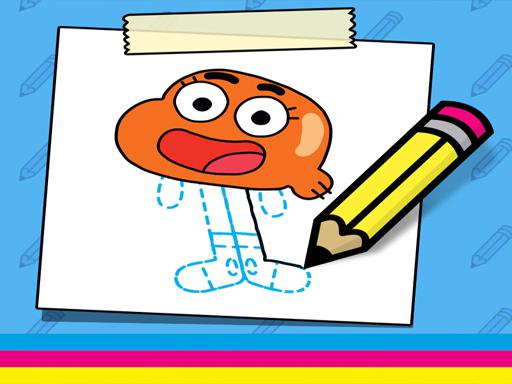
This browser-based creative activity invites players to sketch a beloved animated character using a series of guided steps. The character is Darwin, the cheerful orange fish from the popular series The Amazing World of Gumball. The main goal is to complete a drawing by following each instruction in order. What makes this experience special is its focus on artistic guidance, making it easy for children and fans to engage with a favorite character while building fine motor skills and confidence in drawing. No downloads or installations are needed, just a browser and a desire to create. The content is suitable for all ages, providing a calm and rewarding creative outlet.

How to Play

Players begin by viewing an on-screen instruction that shows a new line or shape to add to the drawing. Using a mouse or touchscreen, they trace or draw the indicated element. The process is turn-based, meaning each step must be completed before moving to the next. There is no time pressure, so players can work at their own pace. If a mistake occurs, options to undo the last action or restart the entire drawing are available. The final result is a complete picture of Darwin, which can be a source of pride and accomplishment.

Game Features

The activity includes a step-by-step drawing guide that breaks the character into manageable parts. Turn-based progression ensures that each new element builds on the previous one. The interface is designed to be family-friendly with no inappropriate material. Undo and restart functions encourage experimentation and learning from errors. The game works on any browser with mouse or touchscreen support, making it accessible on various devices.

Tips for Success

Take your time with each step to ensure accuracy. Use the undo feature freely if a line does not look right, as practice helps improve skill. Follow the instructions in order, as each step builds on the last. For best results, use a steady hand and a device with a responsive touchscreen or mouse. Most importantly, enjoy the creative process and feel proud of the finished artwork.

Compatibility

✅ This game supports:
- Desktop browsers (Chrome, Edge, Safari)
- Mobile browsers (Chrome on Android, Safari on iOS)
❌ Does NOT support: - Internet Explorer - Very old browser versions
👉 Try refreshing or updating your browser
FAQ
Is this game available on mobile devices?
Yes, the game runs in any browser, so it works on smartphones and tablets with a touchscreen. No app download is required.
Do I need any drawing experience to play?
No experience is needed. The step-by-step instructions guide you through each part of the drawing, making it suitable for beginners and young artists.
Can I save my drawing when I finish?
The game does not include a save feature, but you can take a screenshot of your completed artwork to keep or share.
Is this game connected to The Amazing World of Gumball?
The game features Darwin, a character from that series, but it is an independent fan activity not officially affiliated with the show.
How long does it take to complete a drawing?
The time varies by player, but most can finish in about 10 to 20 minutes, depending on their pace and attention to detail.
Are there other characters to draw in this game?
This version focuses solely on Darwin. Some similar games may offer additional characters, but this one is dedicated to drawing this single character.
Advertisement

More Like This