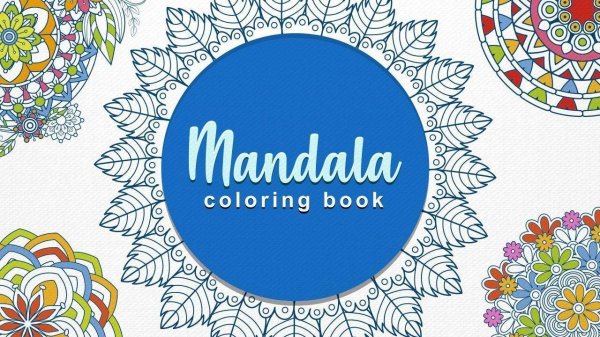
Mandala Color Fill Studio

Developer: Wool Shift Works
Updated: 2026-07-20
Mandala Color Fill Studio
Play Now - It's Free
Advertisement

Report an Issue

Let us know what's wrong with this game

Review

Mandala Color Fill Studio stands out for its focus on relaxation over competition. The pattern library offers enough variety to keep things interesting, and the zoom tool makes detailed work easy. The automatic save feature is a practical touch for busy players. It is a well-designed tool for creative expression and stress relief.

About This Game

Core Coloring Mechanics

Players begin by browsing a gallery of circular designs. Each pattern consists of many small segments arranged in repeating, harmonious layouts. After selecting a design, the player picks a color from the palette, which includes ready-made color sets or the option to create custom mixes. Tapping or clicking on any segment fills it instantly. The controls are straightforward, allowing anyone to start coloring without a tutorial.

Design Library & Variety

The game includes a collection of circular patterns, each built from symmetrical shapes that produce a calming visual effect. Designs range from simple, open layouts to more detailed compositions with many small sections. This variety ensures that both beginners and experienced colorists can find something that suits their mood. The library may be updated over time with new additions.

Color Palette & Customization

A central feature is the flexible color selection system. Preset color groups offer coordinated schemes that work well together, while the custom mix option lets players create any shade they imagine. Colors can be changed at any point, so there is no penalty for experimentation. This freedom encourages players to try unexpected combinations and develop their personal style.

Zoom & Precision Tools

For intricate areas with tiny segments, a zoom function allows players to enlarge the view and color with precision. This feature is especially useful for maintaining clean edges and avoiding accidental fills. The game saves progress automatically, so players can step away and return later without losing any work. This makes it easy to complete a design over multiple sessions.

Relaxation & Mindfulness Focus

Without timers, scores, or levels, the entire experience is built around relaxation and personal expression. The repetitive motion of selecting and filling colors can be meditative. Many players find that focusing on one small area at a time helps quiet the mind. The game is suitable for both solo quiet time and shared family activities, offering a gentle way to unwind after a busy day.


Compatibility

✅ This game supports:
- Desktop browsers (Chrome, Edge, Safari)
- Mobile browsers (Chrome on Android, Safari on iOS)
❌ Does NOT support: - Internet Explorer - Very old browser versions
👉 Try refreshing or updating your browser

Comments

0 comments
U
User
Loading comments...

Faq

Can I save my progress in Mandala Color Fill Studio?
Yes, the game automatically saves your work as you go. You can close the app or game at any point and return later to continue exactly where you left off. This makes it easy to work on a single design over several days or weeks without losing any progress.
Is Mandala Color Fill Studio suitable for young children?
Absolutely. The simple tap-to-color controls and lack of timers make it accessible for children as young as four or five. Parents may want to help younger kids navigate the color palette initially, but the game is designed to be intuitive for all ages.
Are there any in-app purchases or ads in Mandala Color Fill Studio?
The base experience includes a library of designs and full access to the color palette. Some versions may offer optional expansion packs with additional patterns, but the core game is complete without any purchases. Ad policies vary by platform, so check the store listing for details.
Can I share my finished designs with friends or on social media?
Many versions of the game include an option to export completed designs as images. You can save them to your device and share them through messaging apps, email, or social media. This allows you to show off your creative work and inspire others.
Does the game include a tutorial or instructions for beginners?
The controls are simple enough that most players can start without instructions. However, the game may include a brief introductory screen or tooltips that explain how to select colors, fill areas, and use the zoom feature. No prior experience with coloring apps is needed.
How many different color palettes are available in Mandala Color Fill Studio?
The game includes several preset color groups, such as warm tones, cool tones, pastels, and vibrant sets. In addition, you can create unlimited custom colors by adjusting hue, saturation, and brightness. This provides a wide range of choices for any design.