Jump Robot Arcade Game
Reviews
Jump Robot offers a clean, addictive arcade experience. The simple one-tap controls make it easy to start, while the gradually increasing speed keeps the challenge fresh. The global leaderboard motivates players to improve their timing and reflexes. It is a perfect choice for quick breaks or longer sessions, and it works smoothly on all devices without downloads.
Description
Game Introduction
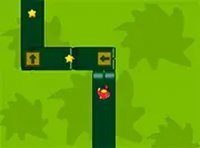
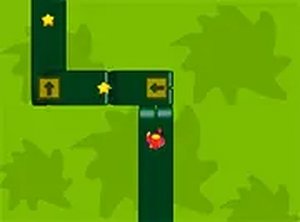
Jump Robot is a 2D arcade game that focuses on timing and reflexes. Players control a robot that must jump over obstacles appearing along a path. The game starts at a manageable pace and gradually increases in speed and complexity as the player progresses. This design creates a growing challenge that keeps each session engaging. Jump Robot is free to play directly in a web browser, with no installation or download required. It works smoothly on both desktop computers and mobile devices, allowing players to enjoy the game wherever they are. A full-screen mode is available for those who prefer a more focused experience. The game includes a global leaderboard, so players can compare their scores with others from around the world. This competitive element adds motivation to improve and replay. Jump Robot is suitable for quick breaks during the day or for longer gaming sessions. Its simple premise and increasing difficulty make it accessible to new players while still offering depth for experienced ones. The game is designed to be easy to pick up but hard to master, providing a satisfying loop of practice and improvement.
How to Play
Playing Jump Robot involves using simple controls to guide the robot over obstacles. On a desktop, players typically use the mouse to click, while on mobile devices, tapping the screen works. Each click or tap makes the robot jump. The key to success is timing the jump correctly. Jumping too early or too late results in the robot hitting an obstacle, which ends the current run. Every successful jump adds to the player's score. As the player advances, obstacles appear more frequently and the game speed increases, requiring quicker reactions. The game runs entirely in the browser, so there is no software to install. For a better view, players can enable full-screen mode. The controls are responsive and intuitive, making it easy for anyone to start playing immediately. Practice helps improve timing and allows players to achieve higher scores and climb the global rankings.
Game Features
Jump Robot includes several features that enhance the gameplay experience. The core feature is jumping over obstacles to score points. A global leaderboard allows players to compete against others worldwide. The game is free to play with no downloads required, making it instantly accessible. It works on both desktop and mobile browsers, ensuring compatibility across devices. Full-screen mode provides an immersive view. Controls are simple, using touch or mouse input. The game features progressive difficulty, meaning the challenge increases naturally as the player improves. This keeps the gameplay fresh and encourages repeated attempts. The combination of simple mechanics and increasing speed creates a compelling loop that is easy to start but difficult to master.
Tips for Success
Success in Jump Robot comes from practice and focus. Start by playing at a comfortable pace to learn the timing of jumps. Pay close attention to the obstacles and anticipate their arrival. Try to stay relaxed, as tension can lead to early or late jumps. Regular short practice sessions can help improve reflexes and consistency. Watching the robot closely and reacting quickly are key. Over time, players will develop a rhythm that allows them to progress further and achieve higher scores.
Compatibility
Faq
Is Jump Robot free to play?
Yes, Jump Robot is completely free to play. There are no hidden costs or in-app purchases required. You can play directly in your browser without any payment.
Do I need to download anything to play Jump Robot?
No download is necessary. Jump Robot runs directly in your web browser on both desktop and mobile devices. Simply visit the game page and start playing instantly.
Can I play Jump Robot on my phone or tablet?
Yes, Jump Robot is designed to work on mobile devices. It supports touch controls, so you can tap the screen to make the robot jump. The game adapts to different screen sizes for a smooth experience.
What happens when I hit an obstacle in Jump Robot?
When the robot hits an obstacle, the current game session ends. Your score is based on how many obstacles you successfully jumped over. You can then start a new game to try to beat your previous score.
Is there a way to pause the game in Jump Robot?
The game may include a pause feature, but it is not specified in the description. Typically, browser-based arcade games like this allow pausing by clicking a button or pressing a key. Check the game interface for pause options.
Does Jump Robot have different difficulty levels?
Jump Robot uses progressive difficulty, meaning the game becomes faster and more complex as you play. There are no separate difficulty settings to choose from; the challenge increases naturally based on your performance.