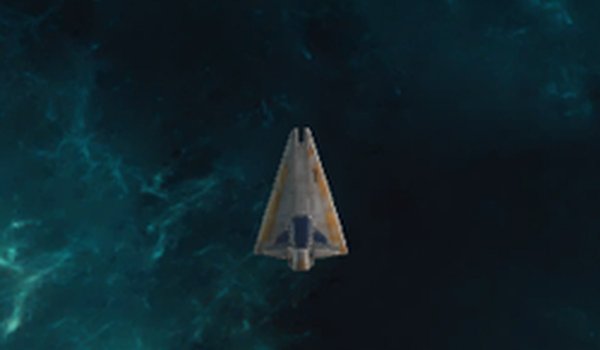
Navigating the Asteroid Field
Space Arcade Blaster puts you in the cockpit of a spaceship surrounded by drifting rocks. Your task is straightforward: move around incoming asteroids and clear a path before any of them collide with your hull. The field is not static—asteroids come in different sizes and travel at different speeds, so the safe route changes constantly. You earn points for every asteroid you clear, and the run ends the moment one connects with your ship. That single rule keeps every decision weighty, because there is no health bar to absorb mistakes.
Controls and Cinematic View
Movement is handled with keyboard keys, and the layout is simple enough that new players can start without a tutorial. The game also offers a cinematic view that widens your field of vision and gives the space navigation a more immersive feel. That wider angle matters in practice: it lets you spot asteroids entering your path earlier, which buys time to adjust your position or line up a shot. Beginners can rely on the default view, but the cinematic option is worth trying once you are comfortable with the basics.
Difficulty Curve and Scoring
The action intensifies as you progress. Asteroids keep coming, and the pressure builds the longer you survive, so the game tests your reflexes and aim rather than your ability to memorize a fixed layout. Because each round varies in rock size and speed, you cannot rely on a single pattern. The scoring system rewards clearing asteroids, which means aggressive play and cautious dodging pull in opposite directions. Finding the balance between the two is the core challenge.
Platform and Session Length
Built with Unity, Space Arcade Blaster runs on desktop and mobile, and it is designed to work for short sessions or extended play. The family-friendly content means there is nothing inappropriate for younger players, which makes it easy to hand the device to a child without checking the screen first. The lack of complex rules also means you can pick it up, play a few rounds, and put it down without losing progress or forgetting a control scheme.








Comments
0 comments